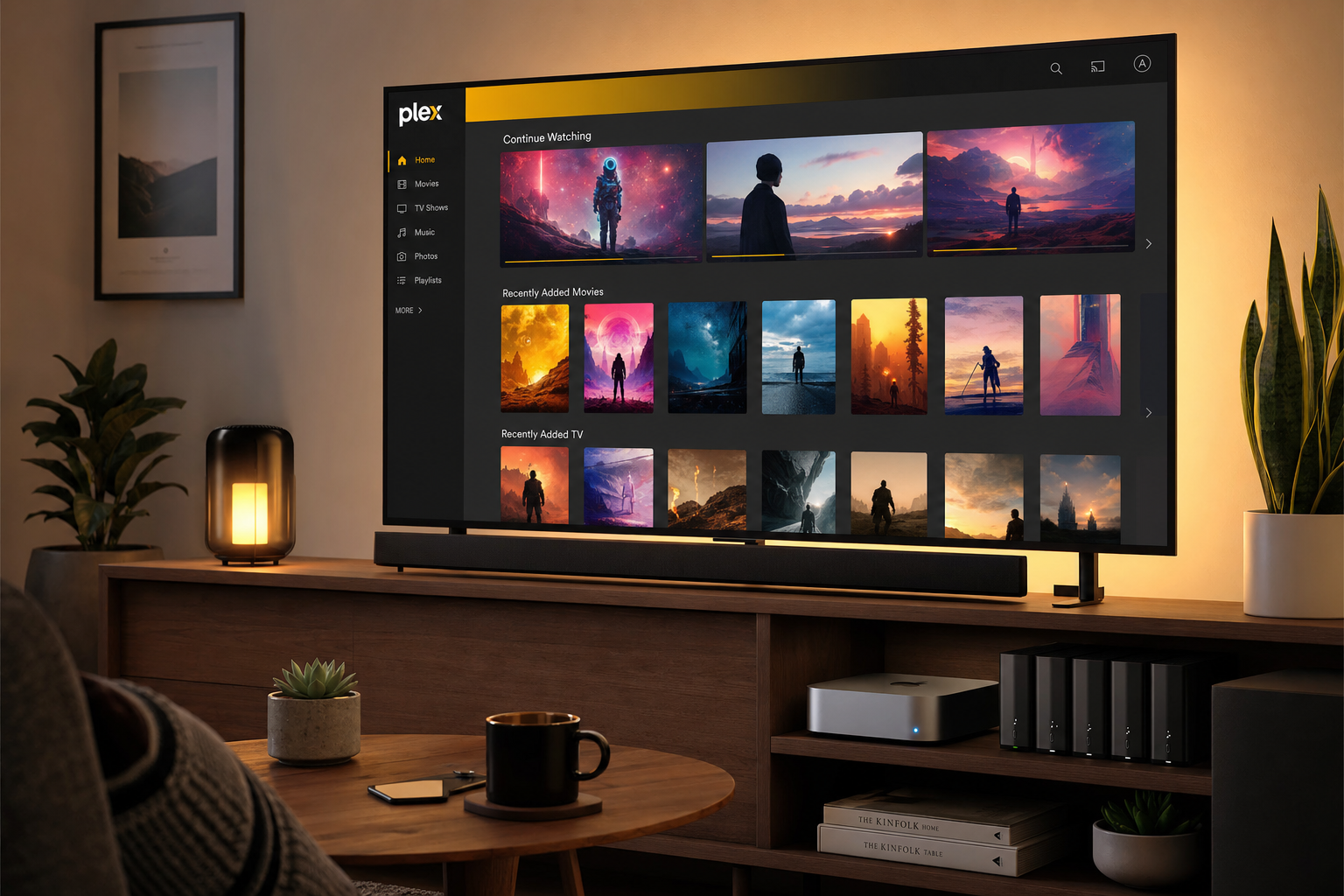
Plex does two things at once. On the one hand, it is an app and a website (watch.plex.tv) where you can watch movies, series, documentaries and live television channels for free and with ads, as if it were just another streaming service. On the other hand, with the Plex Media Server you convert the files you already have saved — on a disk, NAS or PC — into a personal library that plays on your TV, mobile phone or browser. This guide explains both parts: what's in the built-in Plex catalog and how to set up the local server step by step.
1. What you can see on Plex (app and website)
When you open Plex on your mobile, Smart TV or watch.plex.tv, the first thing you see is not your hard drive: it's the free Plex catalog. The platform finances this content with advertisements and agreements with studios and networks (Lionsgate, MGM, AMC, Crackle and other partners). You don't need to install any servers to start watching; Just the app or the browser is enough.
This catalog coexists in the same interface with Your Media, the section that appears only if you have a Plex Media Server at home. They are two different sources within a single app: what Plex offers you in the cloud and what you host locally.
2. Movies, series, documentaries and live TV channels
The main navigation of watch.plex.tv is organized into several tabs. These are the ones that are most interesting if you just want to "put something" without setting up a server:
- On Demand — Movies and series on demand, free with ads. Includes rotating catalog titles, classics, independent films and partner productions. There are also rentals of recent releases (for a fee, apart from the free catalogue).
- Live TV — Live linear television channels at no cost: news (CNN Headlines), sports (CBS Sports Golazo), series in continuous broadcast (The Walking Dead, NCIS, Charmed...), reality, cinema by genre (Action, Comedy, Horror, Documentary, In Spanish...) and thematic channels. It works like classic TV: you go in and see what's on now.
- Discover — News, trailers, “what to watch” lists and trends on other platforms (Netflix, Apple TV+, etc.) to decide where to rent or subscribe.
- Watchlist — Universal list to save titles from the Plex catalog (with free account).
| Section | What do you find |
|---|---|
| On Demand | Movies, series, some documentaries (VOD with ads) |
| Live TV | 24/7 channels: news, sports, series, cinema by genre |
| Categories | Action · Animation · Comedy · Crime · Documentary · Drama · In Spanish · Horror · Music · Romance · Sci-Fi · Western |
| Your media | Only if you have Plex Media Server: your local files |
Documentaries appear both on On Demand (specific titles that you choose) and on Live TV channels dedicated to the genre. The In Spanish section groups films and programs in Spanish within the free catalog. The catalog varies by country; Plex indicates availability based on your territory when you sign up.
Important: this content does not leave your disk. It is served by servers from Plex and its partners. If you are looking to play files that you have already downloaded or copied legally, you need the second part: the Plex Media Server (starting in section 3).
3. Local server requirements
The Plex Media Server is the program that you install on a PC, Mac, Linux, NAS or NVIDIA SHIELD. It scans your folders, downloads covers and metadata, and serves it to apps. According to the installation documentation, after installing it you open http://127.0.0.1:32400/web on the same computer to complete the wizard. It is not necessary to view the free catalog in section 2; only for your own files.
Plex publishes detailed requirements in its compatibility article. In practice:
- Desktop PC or Mac — the most flexible option; ideal if you already have an always-on computer with USB or large internal drives.
- NAS (Synology, QNAP, etc.) — all-in-one (storage + server), but with transcoding limitations on modest models.
- CPU — minimum i3 or equivalent; If several users watch at the same time or you need to transcode 4K → 1080p, something more powerful or a GPU with hardware transcoding support (Plex Pass) is advisable.
- RAM — 4 GB is usually sufficient for small libraries; 8 GB or more if you index thousands of titles.
- Network — Gigabit Ethernet recommended; 5 GHz Wi-Fi for wireless clients.
4. Step by step installation
Video: install Plex Media Server (reference)
Visual tour of the library installation and creation wizard in Windows. Source: YouTube — Plex for Beginners
- Download — Go to plex.tv/media-server-downloads and choose your platform (Windows 64-bit, macOS, Linux or NAS package).
- Install — On Windows/macOS follow the usual installer; on Linux you can use the official APT repository or the pms-docker container from Plex.
- Open the web panel — On the same computer:
http://127.0.0.1:32400/web. On a NAS:http://IP-DEL-NAS:32400/web. - Sign in — Create a free Plex account or log in with the one you already use at watch.plex.tv.
- Name the server — For example “Home-MARGENE”; It is the name you will see in the client apps.
- Turn on remote access — In Settings → Remote, let Plex open the port or set up manual forwarding if your router requires it.
5. Organize folders and libraries
Plex doesn't move your files: it just indexes them. Before "Add Library", organize the disk:
Recommended folder structure
/Medios
├── Películas/
│   ├── Nombre de la película (2024)/
│   │   └── Nombre de la película (2024).mkv
│   └── Otra película (2023).mp4
├── Series/
│   ├── Breaking Bad/
│   │   ├── Temporada 01/
│   │   │   ├── Breaking Bad - S01E01.mkv
│   │   │   └── Breaking Bad - S01E02.mkv
│   │   └── Temporada 02/
│   └── The Office (US)/
├── Música/
│   └── Artista/
│       └── Álbum/
│           └── 01 - Pista.flac
└── Fotos/
    └── 2026-vacaciones/
In the wizard, press Add Library, choose the type (Movies, Shows, Music, Photos) and point to the corresponding root folder. Plex will download metadata from The Movie Database (TMDB), TVDB, or MusicBrainz depending on the configured agent. If a title is not recognized, you can manually correct it with “Fix Match” in the web interface.
- Movies — one folder per movie or a loose file with a clear name.
- Series — series folder → seasons → episodes with S##E## in the name.
- Update — after copying new files, “Scan Library” or leave the scheduled scan.
6. Watch on TV, mobile and browser
Install the Plex app (not to be confused with Plexamp for advanced music) on your Smart TV, Fire TV, Apple TV, Android, iOS or open watch.plex.tv in the browser. In the same app you will see:
- Home / On Demand / Live TV — Plex's free catalog (movies, series, documentaries and live channels).
- Your Media (Your Media) — the libraries of your Plex Media Server, if you have it configured.
Plex supports dozens of devices — from Chromecast and Roku to Meta Quest — according to the official availability page. If the file is compatible with the client (for example MP4 H.264 direct), it is played without transcoding and the server barely consumes CPU.
7. Access outside the home
With the account linked, Plex tries to enable remote access automatically (UPnP or NAT-PMP). If your operator or router blocks it, forward TCP port 32400 to the server's local IP. Away from home, apps connect through Plex servers without you having to remember your public IP; The traffic is encrypted with a certificate managed by Plex.
To share with family, in Settings → Users and Sharing invite with your Plex email and limit which libraries they can see. They do not need a copy of the files: just permission on your server.
8. Plex Pass: what it includes (and what it doesn't)
Plex Pass is the premium subscription aimed at the personal server: hardware transcoding (Quick Sync, NVENC), skip intros, offline mobile synchronization, multiple database backups and early access to betas. The watch.plex.tv FAQ makes it clear that Plex Pass does not remove ads from Plex's free catalog of movies and series nor does it unlock extra content from that catalog.
For most users who just want to view their own files at home, the free account is enough. Plex Pass compensates if you transcode a lot (several 4K streams at once) or want power user features.
Comparative table: Plex vs Jellyfin vs Emby
| Plex | Jellyfin | Emby | |
|---|---|---|---|
| Server price | Free (+ Plex Pass) | 100% open source | Free (+ Emby Premiere) |
| Mandatory account | Yes (remote/share) | No | Yes for premium remote |
| Free catalog | Yes (watch.plex.tv) | No | No |
| Official apps | Very spacious | Hello (community) | Wide |
| Metadata | Excellent | Very good | Very good |
| Transcoding | HW with Plex Pass | No payment | HW with Premiere |
| Privacy | Data on Plex Inc. | Fully local | Mixed (local server) |
| Ideal if… | You want polished apps | You prioritize 100% local | Apps/privacy balance |
In summary
Plex is two services in one app: you can watch movies, series, documentaries and live TV channels for free with ads on watch.plex.tv without installing anything else, and also set up a Plex Media Server at home to play the files you already have saved. The cloud catalog and Your multimedia coexist in the same interface but are different sources.
If you just want to watch something for free, open the app and explore On Demand or Live TV. If you want your own files, install Plex Media Server, create libraries and look for the Your Media section in the side menu. Plex Pass only compensates for advanced server features; does not remove ads from the free catalog.
Most read
What readers are engaging with right now.
- Culture
Goose, the gay app that competes with Grindr, reaches the top 4 of Lifestyle in the App Store

- World
Cubans protest in Miami against Airlines Connections for alleged scam: they demand up to $20,000 in packages to Punta Cana

- World
Trump declares the ceasefire with Iran over, orders new attacks in Hormuz and demands cutting trade with Spain in NATO

- Culture
Harry Potter on HBO: complete guide to the series (not yet released and already renewed for T2), dates, cast and controversies

- Culture
DUK App: Aly Sánchez launches her habits app "one day at a time" with a 63-day program

- Culture
I'm Edgy and Edgy Labs: From Nebraska's Walmart to a beef tallow cream brand that sells across the US.

- Culture
The Evening of the Year VI: all the winners, fights and performances of the Ibai night in Seville

- World
The FBI is investigating the AFA for alleged fraud and money laundering: about $300 million in sponsorships and operations in the US.

- World
El Cangrejo: profile of Raúl Guillermo Rodríguez Castro, Raúl Castro's grandson between GAESA, leaked luxuries and the first interview of 2026
