Pascal Editor is a 3D architectural editor that works in the browser and promises to turn a property into a living digital twin: visualizing, organizing and managing every part of the building from a single three-dimensional canvas. Unlike traditional CAD suites, Pascal is committed to an immediate start—scan a space, import a model or draw from scratch—without a weeks-long learning curve.
What you can do with Pascal
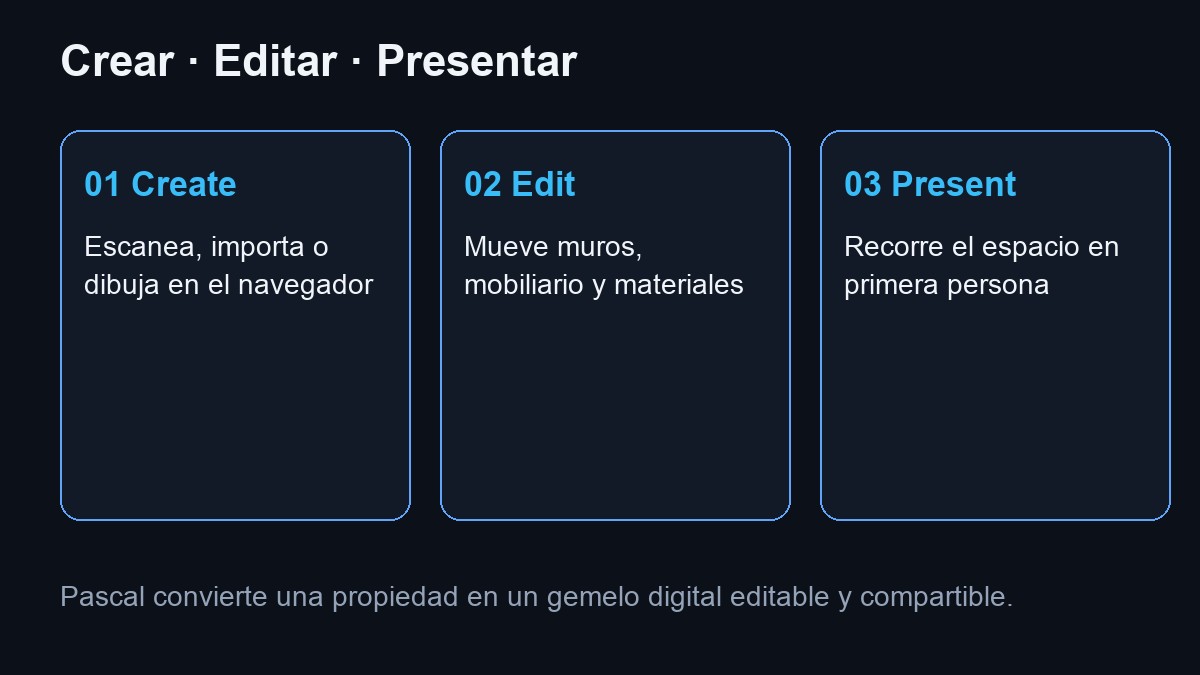
The Pascal proposal is divided into three phases that the product itself describes on its website:
- Create: Scan a space, convert it to 3D, or sketch a new project in the browser.
- Edit: move walls, change furniture, test layouts and materials in real time.
- Present: walk through the design in first person so that clients or colleagues "feel" the space before building it.
The community showcase on the cover shows everything from single-family homes to pavilions, churches or ranches—projects with thousands of visits—which confirms that it is not just a technical demo but a 3D publishing platform.
Video: tour by Pascal Editor
Demo of the Pascal 3D editor in the browser. Source: YouTube
Capture, AI, library and render
Pascal is not limited to the web editor. The platform integrates several complementary pieces:
- Pascal Capture — app for iOS that scans real spaces (available in the App Store according to the official website).
- AI generation — sketches that are converted into solid geometry directly on the model.
- Pascal Studio — advanced materials (glass, holographic, procedural) for eye-catching renders.
- Asset library — thousands of 3D objects ready to place and modify.
Open source and developer packages
Pascal is distributed under the MIT license at github.com/pascalorg/editor. The repository exceeds 17,000 stars and is written mainly in TypeScript, with a Turborepo monorepo that separates the engine, viewer and editing application.
The packages published on npm allow you to integrate Pascal into other products:
@pascal-app/core— node schemas, scene state (Zustand), geometric generation and persistence.@pascal-app/viewer— 3D rendering components with React Three Fiber.@pascal-app/mcp— MCP server for AI agents to read and modify scenes (rooms, objects, materials).
Version v0.9.0 added, among other new features, an IFC → Pascal importer, solid/realistic render modes, plugin architecture by node registration and an elevator system, according to official release notes.
For whom does it make sense?
Pascal fits very different profiles that the website itself lists: owners, architects, developers, contractors, video game designers, production teams, content creators, digital twin companies and developers who want to embed a 3D viewer without reinventing the engine.
For technical teams, the appeal is being able to clone the repo, run the local development environment, and publish their own extensions—or connect AI agents via MCP—without relying on a closed proprietary format.
How to get started
- Open editor.pascal.app and press Start building.
- Explore templates and community projects to see the level of detail possible.
- If you develop: check the repository on GitHub and the
@pascal-app/*packages on npm. - For field scanning: try Pascal Capture on iOS if you need to start from a real space.
In summary
Pascal Editor does not compete only with a desktop CAD: it is a web platform to model, edit, present and share 3D buildings, with open source and a community that already publishes real projects. If you're looking for a digital twin accessible from the browser—or an embeddable engine for your own app—it deserves to be on your radar.
Most read
What readers are engaging with right now.
- World
Cubans protest in Miami against Airlines Connections for alleged scam: they demand up to $20,000 in packages to Punta Cana

- Culture
Goose, the gay app that competes with Grindr, reaches the top 4 of Lifestyle in the App Store

- Culture
Harry Potter on HBO: complete guide to the series (not yet released and already renewed for T2), dates, cast and controversies

- World
Trump declares the ceasefire with Iran over, orders new attacks in Hormuz and demands cutting trade with Spain in NATO

- Culture
DUK App: Aly Sánchez launches her habits app "one day at a time" with a 63-day program

- Culture
I'm Edgy and Edgy Labs: From Nebraska's Walmart to a beef tallow cream brand that sells across the US.

- World
The FBI is investigating the AFA for alleged fraud and money laundering: about $300 million in sponsorships and operations in the US.

- World
El Cangrejo: profile of Raúl Guillermo Rodríguez Castro, Raúl Castro's grandson between GAESA, leaked luxuries and the first interview of 2026

- World
Cuban regime terrorist Ramiro Valdés Menéndez dies