
Watching live television over the Internet without paying a cable operator does not always mean pirated services. Projects such as iptv-org/iptv collect links to broadcasts that, according to their maintainers, have been published intentionally by rights holders. With more than 128,000 stars on GitHub, it is one of the most popular open source repositories in the world. To play those lists, IPTVnator offers a free, cross-platform, tracking-free player.
This guide explains what each piece—repository, search engine, and player—does and how to fit them into a simple flow: find channels, paste the M3U playlist URL, and watch live TV from your desktop or browser.
iptv-org: the M3U list database
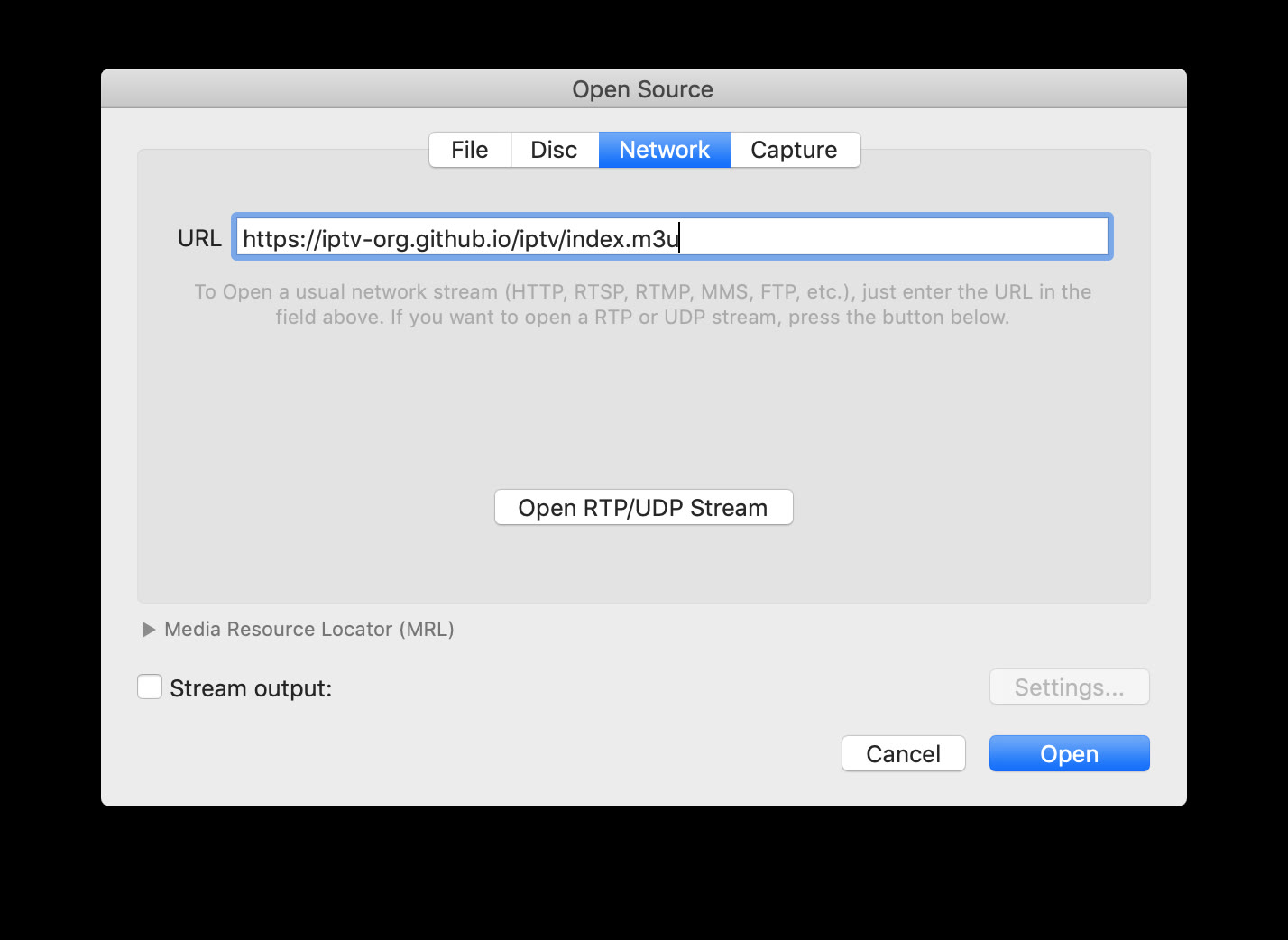
The iptv-org project does not store video. Its main repository, iptv-org/iptv, contains text files in M3U format with live stream URLs. Channels are organized by country, language, category and other criteria; The added file with all available channels is in:
https://iptv-org.github.io/iptv/index.m3uThe metadata for each channel (name, logo, country) comes from the sister repository iptv-org/database. For the programming guide (EPG) there is iptv-org/epg, and an API documented at iptv-org/api. The ecosystem is completed with awesome-iptv, a curated list of applications and resources.
In its legal section, the project clarifies that it only links to public content and that removing a link from the list does not eliminate the stream from the Internet. If a channel stops working – something common in IPTV – the community usually reports it on GitHub Issues.
iptv-org.github.io: scan channels before playing
The website iptv-org.github.io offers a search engine for the catalog. It allows you to filter by name, country or category without first downloading the entire M3U file — which can be large and change daily thanks to automatic repository updates.
This is useful when you're searching for a specific channel—for example, news from a country or sports in a language—before deciding which playlist to import. At PLAYLISTS.md there are links to partial lists (Spain only, news only, sports only, etc.) if you prefer not to load the global index.
Video: install IPTVnator and import an M3U playlist from GitHub
Tutorial on Linux showing the complete flow: install IPTVnator, paste the URL of an iptv-org playlist and play a live channel. Source: Amazing tech4all — YouTube
IPTVnator: the recommended open source player
IPTVnator (4gray/iptvnator) is a desktop application and PWA built with Electron and Angular. With more than 6,300 stars on GitHub and an MIT license, it does not include its own channels or playlists: the user provides the sources.
Its functions include:
- Import of M3U and M3U8 playlists by URL or local file
- EPG (XMLTV Guide) support with current and upcoming programming view
- Connection to Xtream Codes and Stalker portals
- Favorites, history, global search and light/dark themes
- Playback on external players (MPV, VLC, IINA on macOS)
- In v0.21 (May 2026), experimental embedded MPV player on macOS
- 16 languages, remote control from your mobile and web version at iptvnator.vercel.app
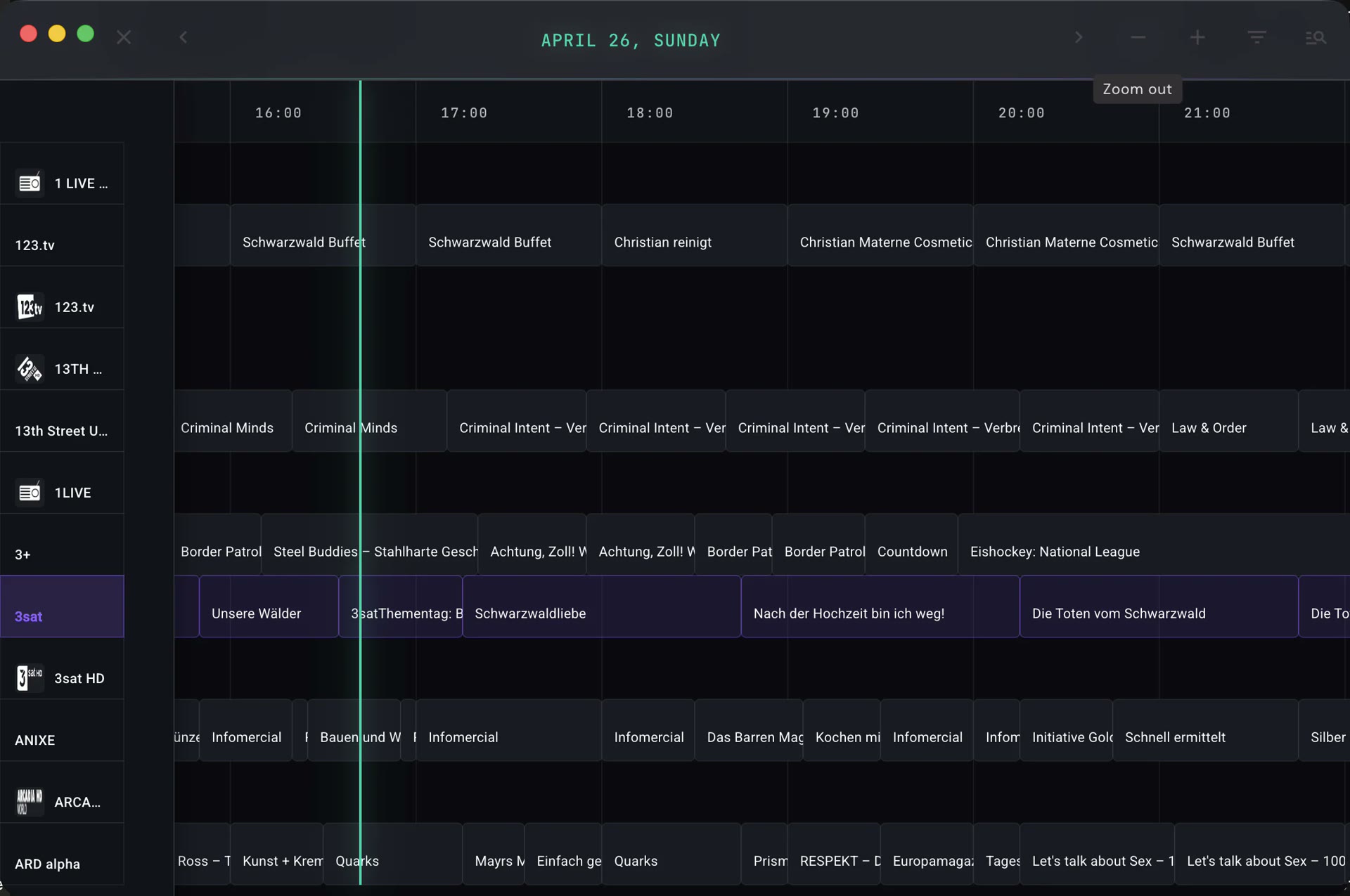
Step by step: from the playlist to the screen
-
Download IPTVnator from 4gray.github.io/iptvnator (macOS, Windows, Linux), with Homebrew (
brew install --cask iptvnator) or Snap, or open the PWA in the browser. -
Add a playlist: press the «+» button → «Add by URL» → paste
https://iptv-org.github.io/iptv/index.m3uor a filtered list of PLAYLISTS.md. - Optional — EPG: in playlist settings, add an XMLTV URL from the repository iptv-org/epg to see the programming grid.
- Play: Choose a channel from the list. If the stream doesn't start in the built-in player, IPTVnator allows you to open it in MPV or VLC—common with certain codecs or geoblocks.
Limitations and user responsibility
Public IPTV is fragile: dead links, geographic restrictions and variable quality are the norm. IPTVnator and iptv-org make it clear that they do not sell or distribute content; They only provide tools for links that the user decides to import.
Before using any list, it is a good idea to check the legality of access in your country and respect copyright. iptv-org maintainers accept link removal requests via issues on GitHub if an owner believes a stream should not be listed.
In summary
What is iptv-org? An open source ecosystem that catalogs and links public IPTV streams in M3U format. Where do I look for channels? In iptv-org.github.io or in the playlists of repository. What do I watch them with? With IPTVnator, VLC, MPV or another compatible player. Is it free? Yes, the software and project lists are free; The stability of each channel depends on the broadcaster, not the player.
Most read
What readers are engaging with right now.
- Culture
Goose, the gay app that competes with Grindr, reaches the top 4 of Lifestyle in the App Store

- World
Cubans protest in Miami against Airlines Connections for alleged scam: they demand up to $20,000 in packages to Punta Cana

- World
Trump declares the ceasefire with Iran over, orders new attacks in Hormuz and demands cutting trade with Spain in NATO

- Culture
Harry Potter on HBO: complete guide to the series (not yet released and already renewed for T2), dates, cast and controversies

- Culture
DUK App: Aly Sánchez launches her habits app "one day at a time" with a 63-day program

- Culture
I'm Edgy and Edgy Labs: From Nebraska's Walmart to a beef tallow cream brand that sells across the US.

- Culture
The Evening of the Year VI: all the winners, fights and performances of the Ibai night in Seville

- World
The FBI is investigating the AFA for alleged fraud and money laundering: about $300 million in sponsorships and operations in the US.

- World
El Cangrejo: profile of Raúl Guillermo Rodríguez Castro, Raúl Castro's grandson between GAESA, leaked luxuries and the first interview of 2026
