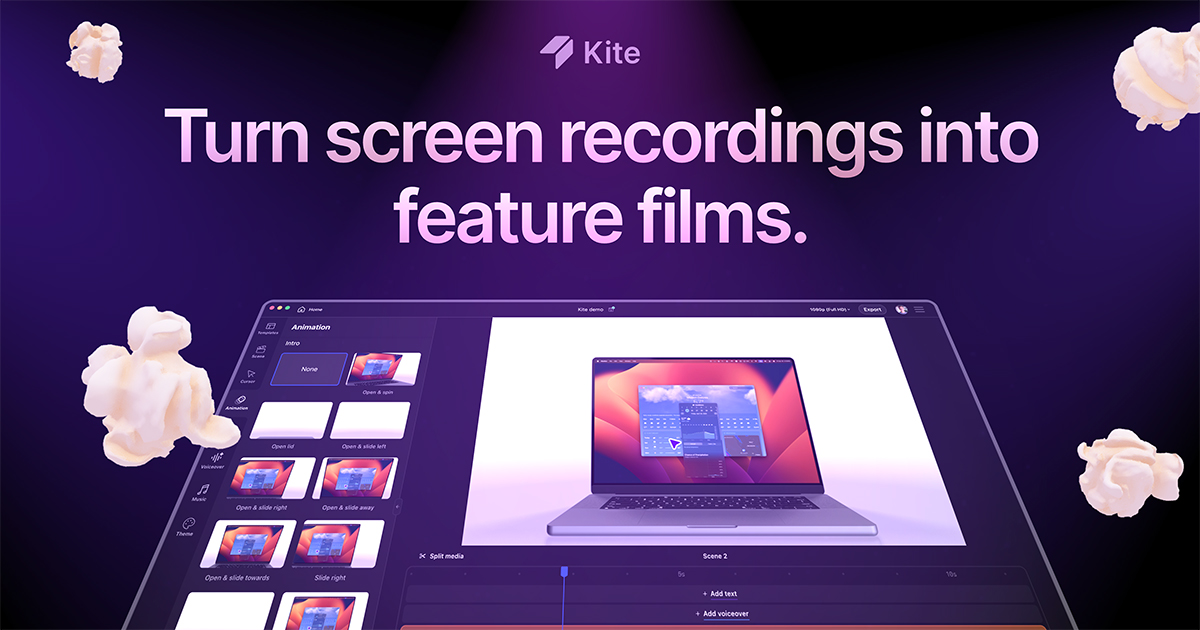
If your product needs a launch video, a tutorial or a demo for the landing and you don't have a full-time studio or editor, Kite opt for a very specific shortcut: you record the screen—on a Mac or even an iPhone—and the tool does the rest with automatic zoom, animations 3D, device mockups, kinetic text, AI voice and soundtrack. The promise on the cover is direct: «makes your demo videos look like Apple commercials in minutes».
Kite is a San Francisco startup backed by Y Combinator (summer 2023). According to its YC listing, “hundreds of YC companies” use it for launch videos, changelogs, networks, and landing pages — a clear niche: product and marketing teams that today alternate between flat Loom, tedious After Effects, or expensive agencies.
Four-step workflow
The website summarizes the jargon-free post-production process:
- Record your Mac — Kite tracks cursor and keyboard to know where the action is.
- Make it stand out — auto zoom, 3D animations, and pointer motion smoothing.
- Record your iPhone — useful for mobile apps without a strange cable.
- Combine and edit — multiple clips, trims, speed and text-only scenes.

Built-in functions (all in one)
| Function | What it contributes |
|---|---|
| Auto zoom and 3D animations | The camera tracks clicks and actions without manual keyframes |
| 3D Mockups | MacBook, iPhone and more — the UI inside the device |
| Cursor styling | Custom styling and motion smoothing |
| Callouts and blur | Highlight areas or hide sensitive data |
| Animated text | Title-only scenes or annotations next to the capture |
| AI voice and music | TTS narration and syncable music library |
| Brand Kit | Colors, fonts and logos saved for consistency |
| Templates | Editable professional database |
You can import your own videos and images, although automatic cursor tracking only works with Kite's built-in recorder, according to its FAQ. It also supports combining unlimited recordings, trimming and merging into a single export.
Video: Introducing Kite 3D UI Reveals
Official demo of the @KiteVideoApp channel: from raw capture to animated 3D mockup. Source: YouTube — Kite 3D UI Reveals
Prices (July 2026)
The kite.video pricing page offers four levels. The Free plan is surprisingly complete: all the features, unlimited exports and 1,000 sample characters for AI speech, with watermark on the exports. It does not ask for registration to start ("No signup required").
- Pro — $40/month (annual billing): no watermark, one user, 10,000 AI voice characters per month.
- Team — $55/month per seat (annual, minimum 3 seats = $165/month): all Pro + cloud projects and centralized billing.
- Enterprise: SSO, enterprise security, videos via API and custom integrations — commercial contact.
On the website they also announce an AI Demo Video Agent on the waiting list: it promises to transform rough recordings into polished videos with animations, text, voice and music more automatically.
Privacy and local-first approach
Kite insists that it is a local-first Mac app: by default, recordings and imports are not uploaded to servers until the user creates a shareable link, uses the Team cloud plan, or activates AI features that require remote processing (voice, AI agent). Projects (.kite) also live on local disk. They offer settings to disable analytics (Sentry, Mixpanel) and cloud functions.
Who is it suitable for?
Kite competes on the same shelf as tools like Screen Studio, but opts for a generous free tier and an “Easy Canva, OpenAI/Figma result” flow. If you release features often—like Framer, Brex, or Vercel in the examples the founders cite in their YC launch—you can replace hours of timeline with a semi-automatic pipeline.
Honest limitations: today it is native macOS (Windows in development with waitlist), the advanced edition does not replace a broadcast editor and the AI functions consume monthly fee on paid plans. For most startups that only need a clean demo for Product Hunt, changelog or landing hero, the Free plan is enough to try; The jump to Pro makes sense when the watermark is no longer acceptable to clients.
Download: kite.video — «Try Kite for free». Support: support@kite.video.
Most read
What readers are engaging with right now.
- Culture
Goose, the gay app that competes with Grindr, reaches the top 4 of Lifestyle in the App Store

- World
Cubans protest in Miami against Airlines Connections for alleged scam: they demand up to $20,000 in packages to Punta Cana

- World
Trump declares the ceasefire with Iran over, orders new attacks in Hormuz and demands cutting trade with Spain in NATO

- Culture
Harry Potter on HBO: complete guide to the series (not yet released and already renewed for T2), dates, cast and controversies

- Culture
DUK App: Aly Sánchez launches her habits app "one day at a time" with a 63-day program

- Culture
I'm Edgy and Edgy Labs: From Nebraska's Walmart to a beef tallow cream brand that sells across the US.

- Culture
The Evening of the Year VI: all the winners, fights and performances of the Ibai night in Seville

- World
The FBI is investigating the AFA for alleged fraud and money laundering: about $300 million in sponsorships and operations in the US.

- World
El Cangrejo: profile of Raúl Guillermo Rodríguez Castro, Raúl Castro's grandson between GAESA, leaked luxuries and the first interview of 2026
