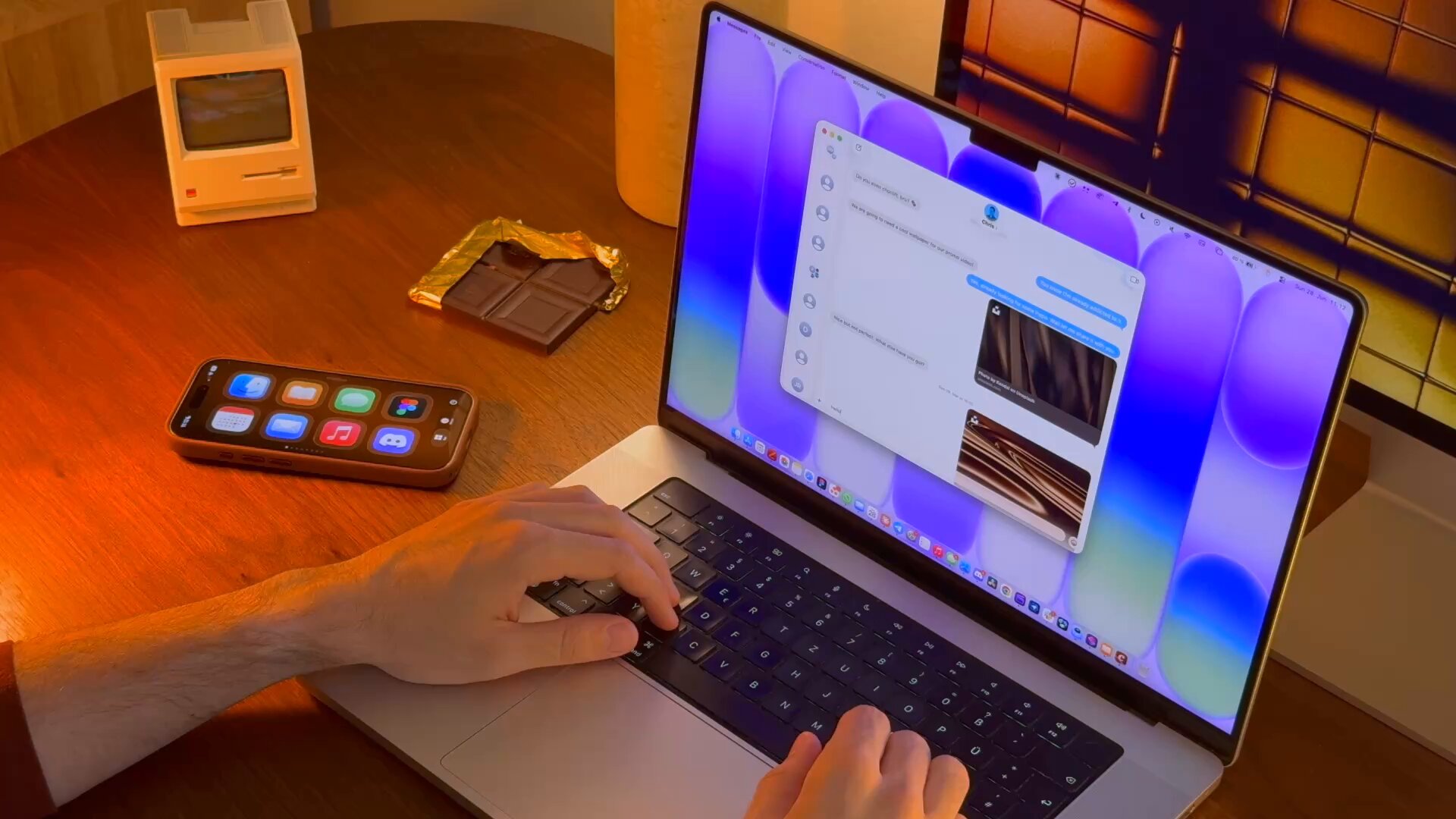
choclift proposes something simple and very Apple: the iPhone that you already have on the table can be the third interface of your Mac —after the keyboard and trackpad— to open apps, launch Apple Shortcuts, jump to favorite websites and, from the version 2.2, insert emojis while typing on the Mac. Creator Phil Traut (@SpatiallyMe) presents it as "the sweeter way to work with Mac."
How it works
According to the App Store listing and the official site, choclift: Workflow Sweetener does not open iPhone apps: it acts as a remote touch interface and all actions are executed locally on the Mac through the companion app. The initial connection uses a PIN displayed on macOS; Then the device is paired on the same network.
- App launcher: up to 8 customizable pages (premium) with Mac icons.
- Apple Shortcuts: Mac shortcuts with their own emoji, executable with a touch.
- Web bookmarks: URLs with name and favicon in chocolate-style "tiles."
- App Time Travel (premium): timeline of recent apps and pinned favorites —visual alternative to Cmd+Tab.
- Gestures: minimize/maximize with two fingers; copy/paste with four-finger gestures on iPhone.
- Drag & drop: Drag on your Mac and use choclift to point to the target app on another desktop.
- Emoji Bar (2.2): Swipe down on iPhone to choose emojis that are inserted into active text on Mac.
Video: Emoji Bar and choclift 2.2 (Phil Traut)
Traut shows the emoji bar and the flow of control of the Mac from the iPhone. Published on June 30, 2026 in X. Source: @SpatiallyMe
Video: choclift launch with Shortcuts and websites
Original demo in which Traut explains why he built the app to shoot Shortcuts, apps and websites from the iPhone. May 26, 2026. Source: @SpatiallyMe
Version 2.2 and prices
The App Store history describes 2.2 as the update to Emoji Bar and the arrival of Added Sugar Lifetime: instead of subscribing, you can pay once and unlock the premium permanently. The options published in the file are:
- Free: one page on the choclift bar; Mac + iPhone connection.
- Added Sugar (monthly): $2.99/month with 7-day trial.
- Lifetime: $29.99 (one-time payment; in some markets the App Store shows local prices, e.g. €34.99 in Germany).
The premium includes up to 8 pages in the bar, Time Travel App and up to 8 customizable slides in Emoji Bar (64 emojis in total). Exact prices are confirmed in-app depending on your region.
Privacy and compatibility
Apple indicates that developerTrautmann & Dorre GbR Shaped Agency declares not to collect data from the app. choclift requires iPhone with iOS 18 or later, Mac with macOS 14 or later, and is also listed for Apple Vision (visionOS 26+). Approximate size: 42 MB. Average rating: 5.0/5 with about 6 reviews at the end of June 2026.
The privacy policy is at choclift.com/privacy-policy. MARGENEZ has not independently audited connection latency or stability; It is a good idea to try the free version before purchasing Added Sugar.
Why it attracts attention
The Apple ecosystem already pushes Continuity, Universal Control and Shortcuts, but many users don't trigger shortcuts on the Mac because it doesn't feel natural. Traut relies on the device that he is already carrying next to the keyboard—the iPhone—as a Homemade Stream Deck without extra hardware. On X, his May thread exceeded 126,000 views; that of the Emoji Bar, published on the same day as 2.2, reinforces the story of a living and rapidly iterating product.
In summary
What is choclift? Touch panel on the iPhone to control the Mac. Is it free? Yes, with a page; optional premium. What's new? Version 2.2 with Emoji Bar and lifetime purchase. Where to download it? App Store + app companion on Mac from choclift.com.
Most read
What readers are engaging with right now.
- Culture
Goose, the gay app that competes with Grindr, reaches the top 4 of Lifestyle in the App Store

- World
Cubans protest in Miami against Airlines Connections for alleged scam: they demand up to $20,000 in packages to Punta Cana

- World
Trump declares the ceasefire with Iran over, orders new attacks in Hormuz and demands cutting trade with Spain in NATO

- Culture
Harry Potter on HBO: complete guide to the series (not yet released and already renewed for T2), dates, cast and controversies

- Culture
DUK App: Aly Sánchez launches her habits app "one day at a time" with a 63-day program

- Culture
I'm Edgy and Edgy Labs: From Nebraska's Walmart to a beef tallow cream brand that sells across the US.

- Culture
The Evening of the Year VI: all the winners, fights and performances of the Ibai night in Seville

- World
The FBI is investigating the AFA for alleged fraud and money laundering: about $300 million in sponsorships and operations in the US.

- World
El Cangrejo: profile of Raúl Guillermo Rodríguez Castro, Raúl Castro's grandson between GAESA, leaked luxuries and the first interview of 2026
