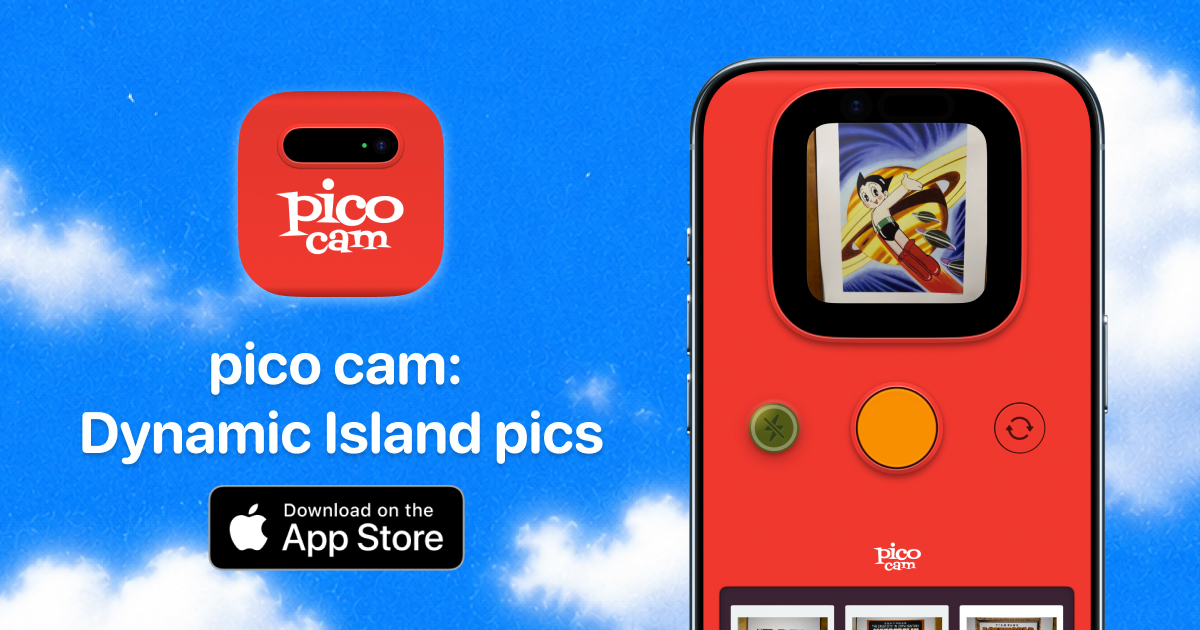
The Dynamic Island on the iPhone has been showing timers, music and call statuses for years. pico cam, the Soon Tiac Ching app, proposes another use: turning it into an instant camera with a capture ritual, sound, haptics and an animation that imitates the eject of a Polaroid. It's not an Instagram filter or an Apple Camera clone: it celebrates the moment of shooting more than the final high-resolution photo.
Video: official pico cam teaser
Promotional video hosted on the official website: the island stretches, shoots and ejects a mini instant photo. Source: picocam.app — picocam_teaser.mp4
How it works: drag, shoot, reveal
In his LinkedIn launch announcement (June 17, 2026), Ching summarizes the main interaction: drag to open → tap to snap → morph to slot & eject. You drag down from the Dynamic Island to open the camera module, press the shutter and the island's own black housing transforms into a print slot; An instant card pops out slowly and is revealed to be a real Polaroid — with the option to shake the iPhone to speed up development, according to the developer.
The App Store file details the product in more sober terms: capture within the app, creation of instant-style cards, animations in Dynamic Island and Live Activity, saved in the gallery and sharing to other apps. Pico cam's editorial tone is aimed at "small rituals" — friends, outfits, meals, trips — not at replacing the system's camera for professional work.

Dynamic Island, Live Activity and even the notch
Apple introduced the Dynamic Island in the iPhone 14 Pro as an evolution of the notch: a black area that can be expanded with Live Activities. pico cam exploits that surface as a main interface — not as an accessory widget. Ching emphasizes on LinkedIn that the app also works on phones with a traditional notch (iPhone 11 to 17 Pro Max and SE), so the visual trick is not restricted to the most recent "Pro" models.
The design detail most commented on by those who replicate the idea on networks: a single continuous black container — pickup → chamber → slot → pickup — with the same bezel in all states, so that the transition does not "jump" visually. That explains why the experience feels more physical than a superimposed overlay.
Sound, haptics and small native app
The launch post insists that every sound and interaction has haptic feedback mapped — consistent with the mechanical camera metaphor. The app is written in native Swift; The developer quotes a weight of about 5 MB before integrating the subscription SDK. In a market of camera apps bloated with filters and clouds, pico cam is committed to lightness and a single memorable gesture.
Privacy, price and version 1.1.0
According to the App Store and the privacy policy, there is no need to create an account and the photos remain on the device unless the user exports or shares them. The freemium model offers pico cam+ with weekly, annual and lifetime plans (amounts vary slightly by region; in the US the weekly listing is at $1.69, annual at $19.99 and lifetime between $24.99 and $29.99).
Version 1.1.0 arrived on July 10, 2026, just a few weeks after the public premiere that Ching documented in June. The rating in the App Store is still early (few reviews in the US listing at the time of writing), typical of viral indie releases on LinkedIn before consolidating an average rating.
Why it fits into Apps we recommend
pico cam does not compete with Halide or the system camera in specifications: it wins in interface personality and in demonstrating what a product designer can do with Apple's APIs. That's why we include it in our directory Apps we recommend: iOS tool with verifiable sources (official website, App Store and developer communication), clear usefulness for those who enjoy photographing everyday life and explicit respect for local privacy.
Most read
What readers are engaging with right now.
- Culture
Goose, the gay app that competes with Grindr, reaches the top 4 of Lifestyle in the App Store

- World
Cubans protest in Miami against Airlines Connections for alleged scam: they demand up to $20,000 in packages to Punta Cana

- World
Trump declares the ceasefire with Iran over, orders new attacks in Hormuz and demands cutting trade with Spain in NATO

- Culture
Harry Potter on HBO: complete guide to the series (not yet released and already renewed for T2), dates, cast and controversies

- Culture
DUK App: Aly Sánchez launches her habits app "one day at a time" with a 63-day program

- Culture
I'm Edgy and Edgy Labs: From Nebraska's Walmart to a beef tallow cream brand that sells across the US.

- Culture
The Evening of the Year VI: all the winners, fights and performances of the Ibai night in Seville

- World
The FBI is investigating the AFA for alleged fraud and money laundering: about $300 million in sponsorships and operations in the US.

- World
El Cangrejo: profile of Raúl Guillermo Rodríguez Castro, Raúl Castro's grandson between GAESA, leaked luxuries and the first interview of 2026
