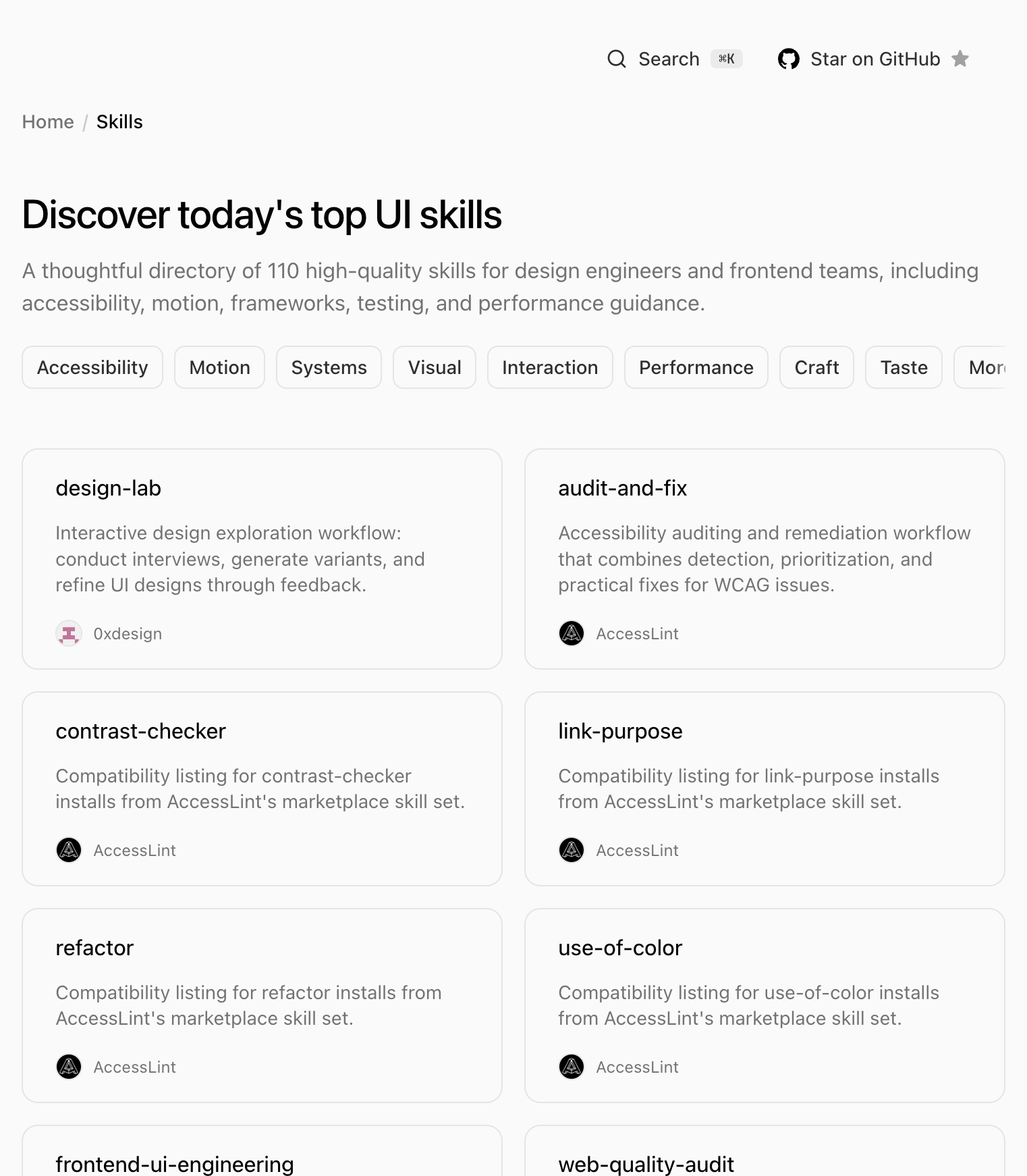
UI Skills was born in response to a recurring problem in 2026: code agents generate functional but generic interfaces —incoherent spacing, motion that blocks, broken metadata, forgotten accessibility. The ibelick project, published at ui-skills.com and under the MIT license on GitHub, is not another loose prompt: it is a curated directory of 110 skills for design engineers and frontend teams, with CLI installation, machine-readable registry and a routing layer (ui-skills-root) that chooses the smallest skill that solves the task.
How to use it with an agent
The homepage recommends an explicit flow: ask the agent to run the CLI before deploying. Example cited on the site:
Run `npx ui-skills start` to fix this dialog motion.The command activates ui-skills-root, a router skill that inspects category, stack, and intent, and loads only the necessary context—preferably one skill, two at most, three only in broad revisions. The rest of the CLI commands:
npx ui-skills
npx ui-skills start
npx ui-skills categories
npx ui-skills list --category motion
npx ui-skills get baseline-ui
To install skills in the project or agent, the documentation points to npx skills add ibelick/ui-skills and commands like npx ui-skills add baseline-ui or npx ui-skills add --all. Each skill has its own page with a copy-paste installation command and a llms.txt per skill for direct consumption by the agent.
What does the catalog include
The skills are not all from ibelick: the registry adds contributions from Anthropic (frontend-design), shadcn/ui, Vercel Labs (Next.js, React, web-design-guidelines), Emil Kowalski, pbakaus (Impeccable suite: polish, audit, animate...), AccessLint, vuejs-ai, Microsoft Playwright and dozens more. CLI categories cover accessibility, motion, systems, visual, interaction, performance, craft, taste, typography, color, 3D, testing, tooling, video and specific stacks (Next.js, Nuxt, Vue, React Native, Three.js, Remotion, SwiftUI).
Registry, llms.txt and agent ecosystem
For automatic integrations, the site exposes llms.txt with navigation and catalog, and skills/registry.txt with one row per skill (slug, SKILL.md URL, description). Each skill also has its own llms.txt under /skills/{author}/{slug}/llms.txt. The repository on GitHub—created in January 2026, with thousands of stars and active forks—uses Astro and TypeScript; The site and skills code lives at ibelick/ui-skills.
ibelick also maintains its own skills beyond the baseline: fixing-metadata (Open Graph, Twitter cards, JSON-LD), fixing-motion-performance (composer, scroll-linked motion, costly blur) and others oriented to craft. The thesis of the project fits with the wave of skills of Cursor, Claude and Codex: instead of repeating rules in each chat, package design engineering criteria in reusable files that the agent loads on demand.
Why it matters now
With agents writing more and more UI—from SaaS dashboards to full landing pages—the difference is no longer "does it compile?" but "does it feel designed?" UI Skills addresses that gap with a curated marketplace instead of a single mega-prompt. Routing (ui-skills-root + CLI) avoids bloating the context with dozens of guides when fixing-motion-performance or baseline-ui suffices.
For teams, the value is in standardizing reviews: the same WCAG accessibility skill, the same shadcn workflow, the same metadata checklist before publishing. For individuals, it's the quickest way to tell the agent "don't invent a purple gradient UI again" and point it to frontend-design or impeccable. The directory continues to grow—with a newsletter on the home page and new categories in the CLI—under the umbrella of Interface Office.
Most read
What readers are engaging with right now.
- Culture
Goose, the gay app that competes with Grindr, reaches the top 4 of Lifestyle in the App Store

- World
Cubans protest in Miami against Airlines Connections for alleged scam: they demand up to $20,000 in packages to Punta Cana

- World
Trump declares the ceasefire with Iran over, orders new attacks in Hormuz and demands cutting trade with Spain in NATO

- Culture
Harry Potter on HBO: complete guide to the series (not yet released and already renewed for T2), dates, cast and controversies

- Culture
DUK App: Aly Sánchez launches her habits app "one day at a time" with a 63-day program

- Culture
I'm Edgy and Edgy Labs: From Nebraska's Walmart to a beef tallow cream brand that sells across the US.

- Culture
The Evening of the Year VI: all the winners, fights and performances of the Ibai night in Seville

- World
The FBI is investigating the AFA for alleged fraud and money laundering: about $300 million in sponsorships and operations in the US.

- World
El Cangrejo: profile of Raúl Guillermo Rodríguez Castro, Raúl Castro's grandson between GAESA, leaked luxuries and the first interview of 2026
