
The MacBook Neo in Citrus with 256 GB —configurable in the official Apple store with reference MHFD4LL/A— is, according to our research by crossing technical sheets, statements and independent reviews, the entry-level laptop most compelling Apple has ever made. Not because it is the most powerful, but because for the first time it condenses aluminum chassis, full-day autonomy, 1080p camera, large trackpad and macOS with Apple Intelligence in a price that competes head-to-head with Chromebooks and mid-range Windows laptops. The problem: Apple sells it in only two versions, and the cheap one leaves out a feature that is standard on any other Mac.
What do you really get for $599
Released in March 2026, the MacBook Neo occupies the lowest rung of the Mac family, below the MacBook Air M5 (starting at $1,099). Apple defined it as "the most affordable Mac in history" and aimed it at students, families, small businesses and users migrating from PCs or Chromebooks.
Video: Hello, MacBook Neo
Apple's official presentation: A18 Pro, 13″ Liquid Retina display, four colors and Apple Intelligence from $599. Source: Apple — YouTube
Video: The all-new MacBook Neo
Short spot from the official Apple channel with the slogan "an amazing Mac at a surprising price." Source: Apple — YouTube
The Citrus 256 GB model shares exactly the same core hardware as the $699 version: A18 Pro chip—the same as the iPhone 16 Pro, the first time an iPhone processor powers a portable Mac—, 8 GB of unified memory, 13-inch Liquid Retina display with 2408x1506 resolution and 500 nits of brightness, 36.5 Wh battery with up to 16 hours of streaming or 11 hours of web browsing, and 90% recycled aluminum design weighing 2.7 pounds (1.23 kg).
In everyday use—browsing, documents, video calling, streaming, light photo editing, and on-device AI tasks—Apple claims it outperforms the best-selling PC laptop with Intel Core Ultra 5 by up to 50% and up to three times as much in local AI loads. Reviews like XDA Developers agree that it "nails the basics" at a surprisingly reasonable price, although they caution that it's essentially a six-year-old smartphone chip in a sleek laptop body.
Why Citrus stands out among the four colors
Apple offers the Neo in Silver, Blush (soft pink), Indigo (deep blue) and Citrus, a new greenish yellow that the company presented as "fresh" in its official video. Unlike the historically sober MacBook Air and Pro, the Neo is committed to personality: color extends to the keyboard in coordinated tones, to the rubber feet and to exclusive wallpapers. In a market saturated with grays and blacks, Citrus is the finish that best communicates the product's intent: a serious Mac that doesn't take itself too seriously.

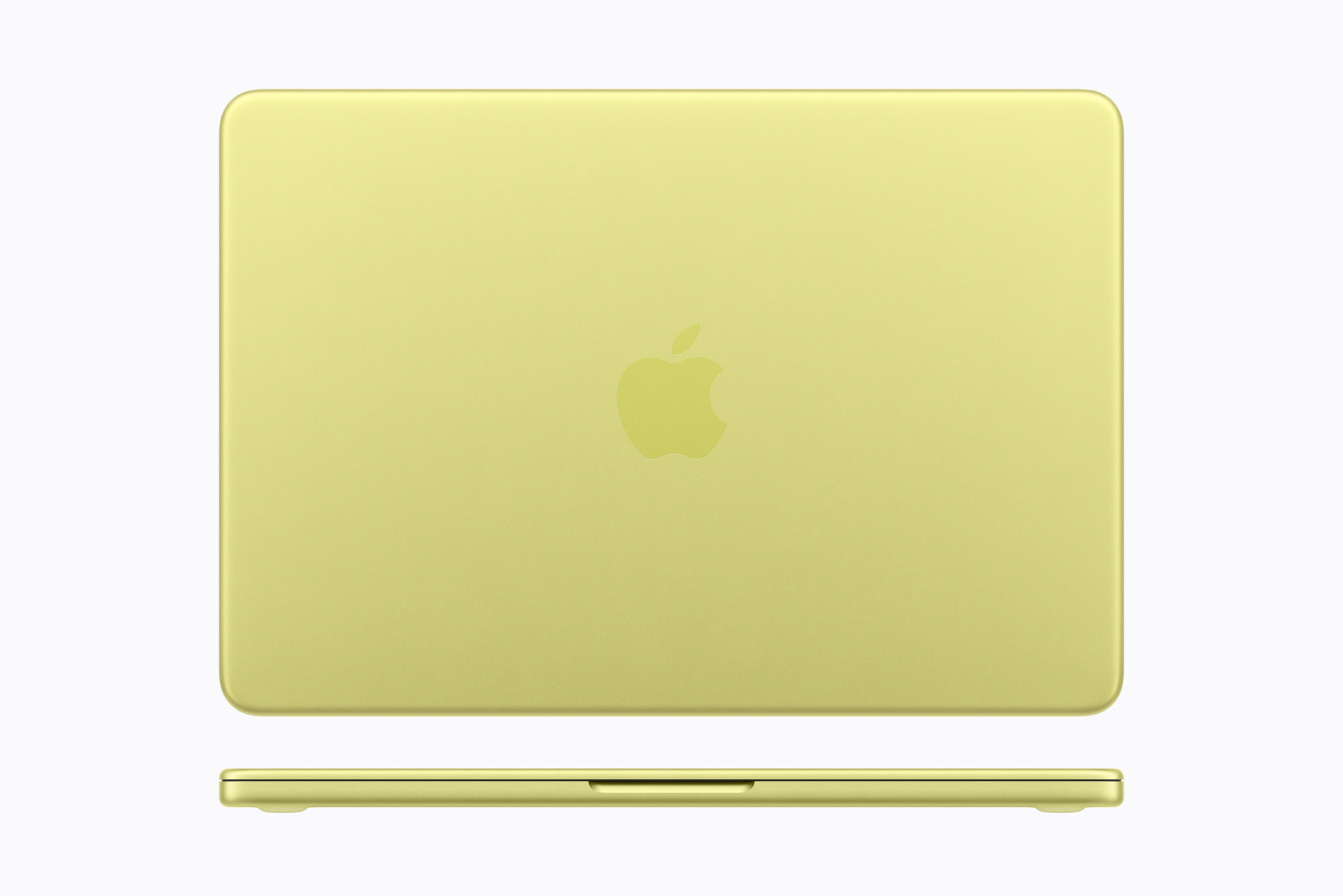
The construction does not seem "cheap": aluminum chassis with rounded corners, Magic Keyboard and wide-surface multi-touch trackpad. What you do miss compared to the Air: backlit keyboard (according to Macworld and MacRumors guides), MagSafe, fast charging—it only includes a 20W adapter—and the Force Touch trackpad from the rest of the range.
The two versions: what Apple separates (and why it bothers)
Here is the core of the controversy. Apple does not sell the MacBook Neo as a traditionally configurable product: there are only two fixed SKUs, with no intermediate options.

Video: behind the scenes of the “Hello, MacBook Neo” advertisement
Apple published this making-of in April 2026: physical models, effects and the sequence in which the keys "fall" on the keyboard from the main announcement. Source: Apple — YouTube Shorts
The official technical sheet makes it explicit: Model 1 has "Magic Keyboard" with the line "Not available, Touch ID." Model 2 includes "Magic Keyboard with Touch ID." You can't pay extra just for the sensor: if you want to unlock with a fingerprint, authorize Apple Pay or use password managers without typing, you have to go up to 512 GB and pay $100 more.
"In 2026, requiring you to spend extra to unlock a security feature that has been standard on every other Mac for years is an odd decision for a company that sells privacy as a core value."
Why did Apple make two versions and not just one "complete" version?
Apple hasn't publicly explained the logic of the Touch ID + storage packaging, but the strategy is readable:
- Psychological price anchor: $599—or $499 in education—allows you to announce “the cheapest Mac in history” in headlines and comparisons with Windows. It is the commercial hook.
- Structured upsell: By tying Touch ID to the storage jump, Apple avoids a complex configurator and pushes the buyer toward $699, where the margin improves and the product feels “complete.”
- Differentiation with the MacBook Air: The Air M5 costs almost twice as much, includes Touch ID as standard, 16 GB of base RAM, Thunderbolt and a better screen (P3, True Tone). The Neo should be clearly below; Removing Touch ID from the cheap model reinforces that hierarchy.
- BOM Cost: The Touch ID sensor and associated Secure Enclave module have a cost. In a laptop designed “from the ground up” to be affordable—with an optimized chassis that uses 50% less aluminum than traditional machining—every component counts.
Why not a single version with everything good? Because it would break the price equation. A single MacBook Neo with 256GB and Touch ID—or 512GB at the base price—would cost more to manufacture or less to make profitable. Apple preferred two clear steps rather than a single, more expensive product that would lose the $599 holder. It is the same logic that separated storage on the iPhone in the past, although here the exclusion of a security function—not just gigabytes—is what generates the greatest ethical and user experience friction.
MacRumors even speculates that Apple could eliminate the 256GB model in the future and leave only the $699 model, as it did with base configurations on other products. Today, however, the duality is deliberate.
What both models do share (and their real limits)
Beyond storage and Touch ID, the limitations are identical and should be known before purchasing:
- 8 GB of fixed RAM, no expansion possible. Enough for light use; insufficient for serious video editing, VMs or dozens of tabs with heavy apps.
- Asymmetric ports: one USB-C 3 (10 Gb/s, DisplayPort 4K) and another USB-C 2 (480 Mb/s). No Thunderbolt. A single external monitor at 4K 60 Hz.
- No MagSafe or fast charging: the 20W adapter is modest compared to the usual Mac ecosystem.
- sRGB screen, not P3 like the Air: correct, but less vibrant for professional creative work.
- 1080p camera compared to the Air's 12 MP Center Stage.
- Two side speakers versus four on the Air; audible, but not room-filling.

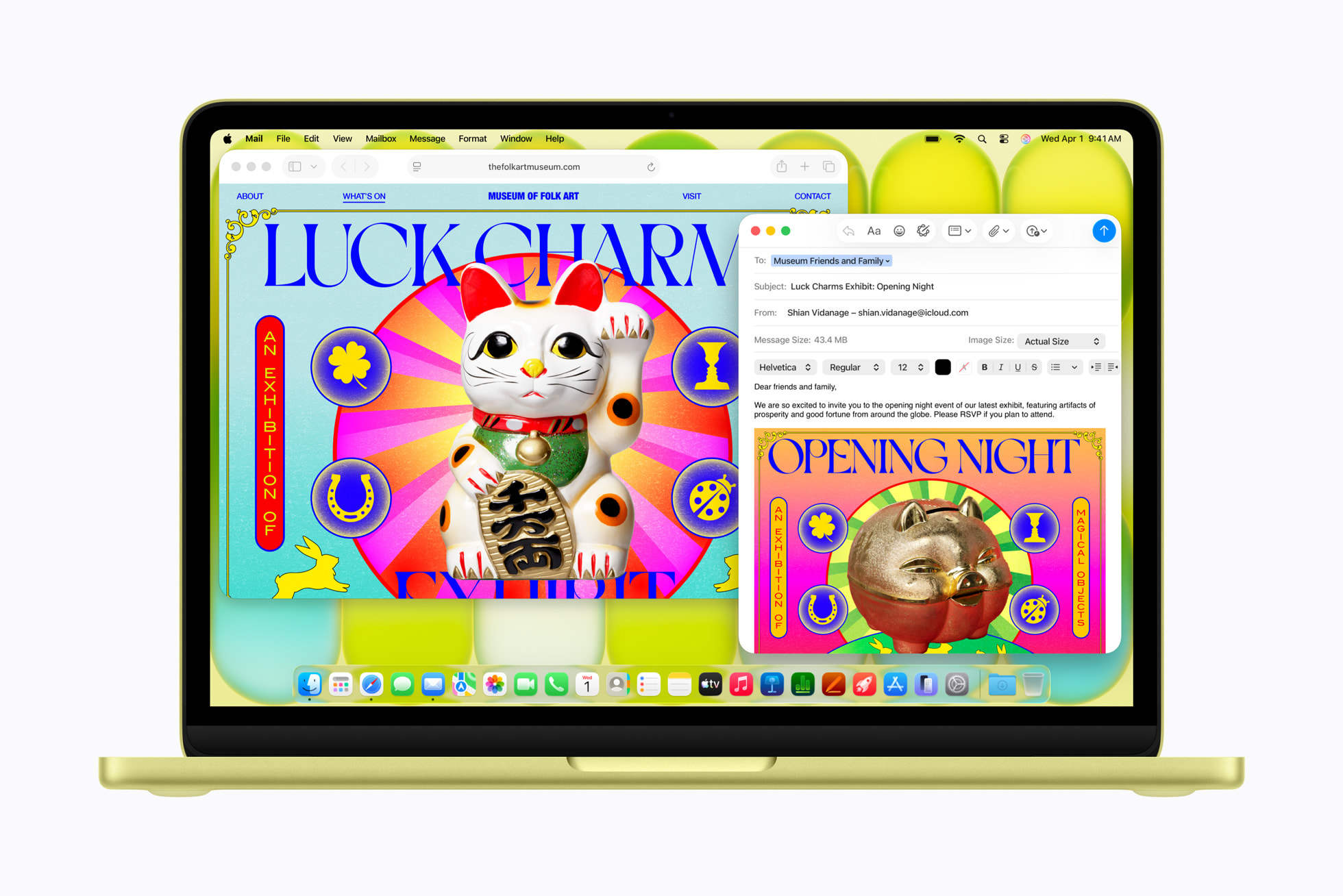
For the entry-level user—student, teleworker with cloud flow, second home laptop, someone coming from iPhone and wanting continuity—none of these concessions are dramatic. For a creative or developer, the ceiling comes quickly and the jump to the MacBook Air M5 still makes sense.
Is it the best entry-level laptop? Our conclusion
Yes, with nuances. In its category – lightweight laptop for everyday productivity within the Apple ecosystem – the MacBook Neo Citrus 256 GB offers a combination that is difficult to match: premium construction, total silence (no fan), macOS Tahoe software with Apple Intelligence, integration with iPhone and longevity of support that $600 laptops rarely offer in the PC world.
It is comfortable in the literal sense - 1.27 cm thick, recognized Magic Keyboard, generous trackpad - and in the figurative sense: easy configuration with a nearby iPhone, free Personal Setup when purchasing from Apple and an ecosystem of apps that "just work" for those who do not want to manage drivers or bloatware.

But the user's question—"why not a version that includes everything good about both?"—has an uncomfortable answer: because that version would be the $699 model. The 256GB is great if you accept typing passwords, live on iCloud, and price is king. The 512 GB one with Touch ID is the one that most analysts recommend as a sensible purchase: for $100 more you double storage—not expandable later—and recover the modern Mac experience of biometric unlocking.
Quick purchasing guide
Choose Citrus 256 GB ($599) if: budget is the absolute priority; you use iCloud or external storage; you don't mind typing the password several times a day; you are a student with a discount ($499).
Choose 512 GB with Touch ID ($699) if: you save photos or local files; you use password managers; you value Apple Pay on the Mac; you want the full experience with no regrets after six months.
Don't buy one if: you need more than 8 GB of RAM, professional 4K video editing, multiple monitors or Thunderbolt. In that case, the MacBook Air M5 remains the real gateway to the “no compromises” Mac.
The MacBook Neo Citrus is not perfect or unified into a single ideal version. But as Apple's entry-level laptop—something that for years seemed impossible below $999—it delivers on the promise better than its two split configurations suggest at first glance. The smart decision is not to ask why Apple split the product, but which of the two steps fits how you really work.
Most read
What readers are engaging with right now.
- Culture
Goose, the gay app that competes with Grindr, reaches the top 4 of Lifestyle in the App Store

- World
Cubans protest in Miami against Airlines Connections for alleged scam: they demand up to $20,000 in packages to Punta Cana

- World
Trump declares the ceasefire with Iran over, orders new attacks in Hormuz and demands cutting trade with Spain in NATO

- Culture
Harry Potter on HBO: complete guide to the series (not yet released and already renewed for T2), dates, cast and controversies

- Culture
DUK App: Aly Sánchez launches her habits app "one day at a time" with a 63-day program

- Culture
I'm Edgy and Edgy Labs: From Nebraska's Walmart to a beef tallow cream brand that sells across the US.

- Culture
The Evening of the Year VI: all the winners, fights and performances of the Ibai night in Seville

- World
The FBI is investigating the AFA for alleged fraud and money laundering: about $300 million in sponsorships and operations in the US.

- World
El Cangrejo: profile of Raúl Guillermo Rodríguez Castro, Raúl Castro's grandson between GAESA, leaked luxuries and the first interview of 2026
