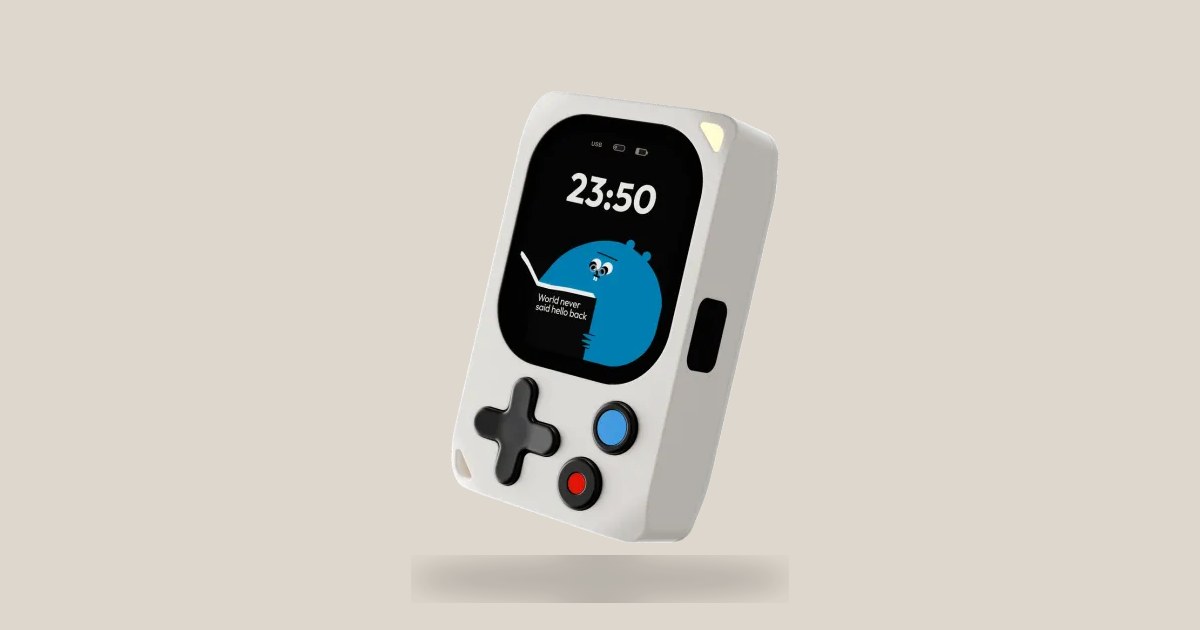
Most maker projects die in the wiring: screen, buttons, power and sensors before writing a line of code. Kode Dot — the bet of the Valencian firm KODE DIY SL in kode.diy — promises to deliver that platform already assembled: double ESP32-P4 + C5, AMOLED touch screen, NFC/RFID/IR, speaker, microphone and GPIO in something that fits in your hand. "You write the code, and it becomes whatever you need," summarizes the website.
Video: Kode Dot unlocks a door with NFC
Official demonstration of NFC/RFID access with kodeOS on the @kodediy channel. Source: YouTube — kode. (Unlock The Doors with Kode Dot)
From Kickstarter to store: 16,000 backers
Kode Dot was born as a crowdfunding campaign. In kode.diy the brand claims to have had 16,000 makers who supported the project; The Kickstarter page describes it as an open source device with AMOLED screen, IR, NFC/RFID and GPIO header. The founders — Manuel Quero and Luismi Collado — appear on the website next to the factory in Valencia (KODE DIY SL, Carrer d'Albuixech 8).
The business narrative is clear: instead of accumulating loose boards, the user receives a portable “maker's desk.” The store already lists snap-on units and modules; It is not just a campaign concept.
Specifications: «Small device. Big toolbox»
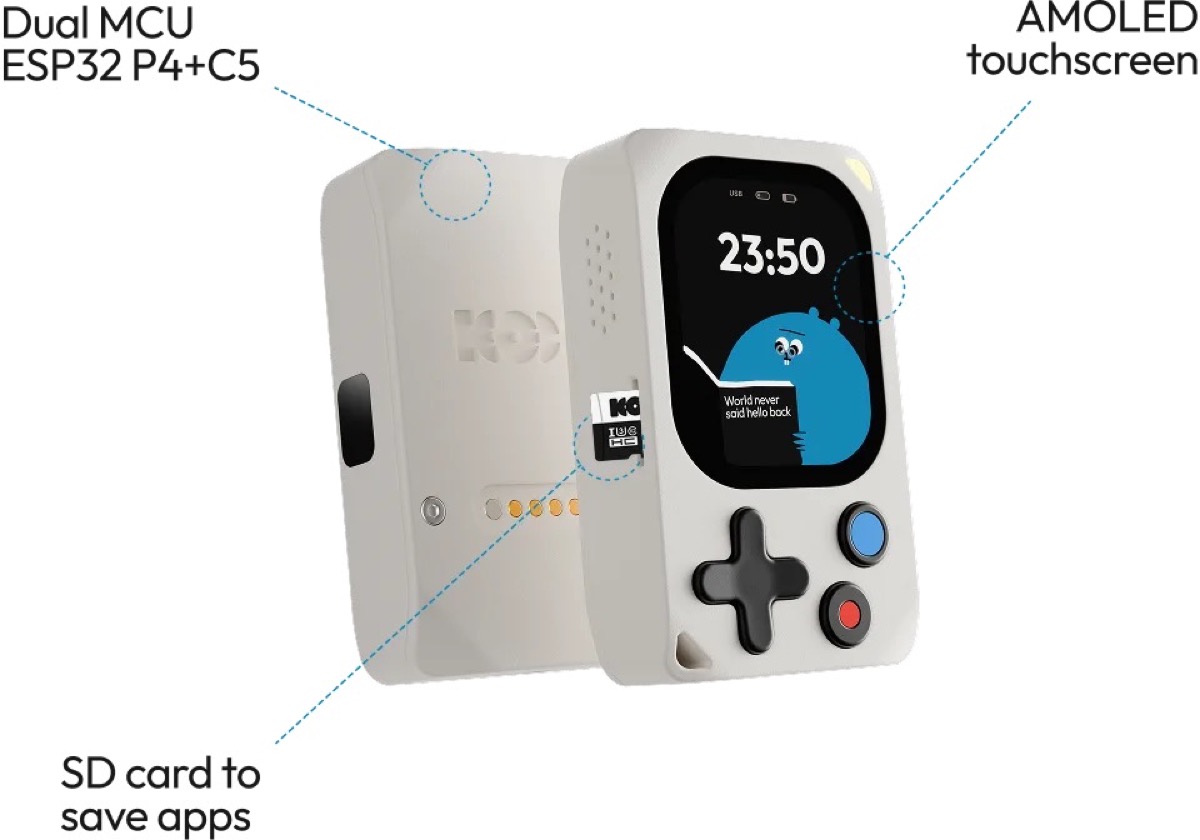
The kode.diy file details an ambitious stack for the size:
- Display: AMOLED 2.13″ (502×410), CO5300 driver by MIPI-DSI.
- Input: 4-button D-pad + 2 extra buttons; capacitive touch.
- Audio: speaker with ES8311 codec and NS4150B amplifier; integrated microphone.
- Movement: 9-axis IMU (LSM6DSV + LIS2MDL compass); LRA AW86233 motor for vibration.
- RF: ST25R3916B for NFC 13.56 MHz; analog front-end for RFID 125 kHz; IR transceiver.
- Energy: USB-C with JTAG, BQ25896 charging, CW2217 fuel gauge, LiPo battery (capacity still "TBD" on the website) and RTC with battery.
- Expansion: 20 GPIO pins (14 programmable + 5 V/3.3 V rails up to 2 A); magnetic pogo connector with 2 extra GPIO.
The message for pentesters and hardware makers is the combination NFC + RFID + IR in a single pocket, plus Wi-Fi and BLE managed by the C5 while the P4 runs the interface and main logic.
Snap-on modules and prices in store
In addition to the base Kode Dot (€169), kode.diy/shop lists magnetic modules and accessories (prices consulted on July 9, 2026):
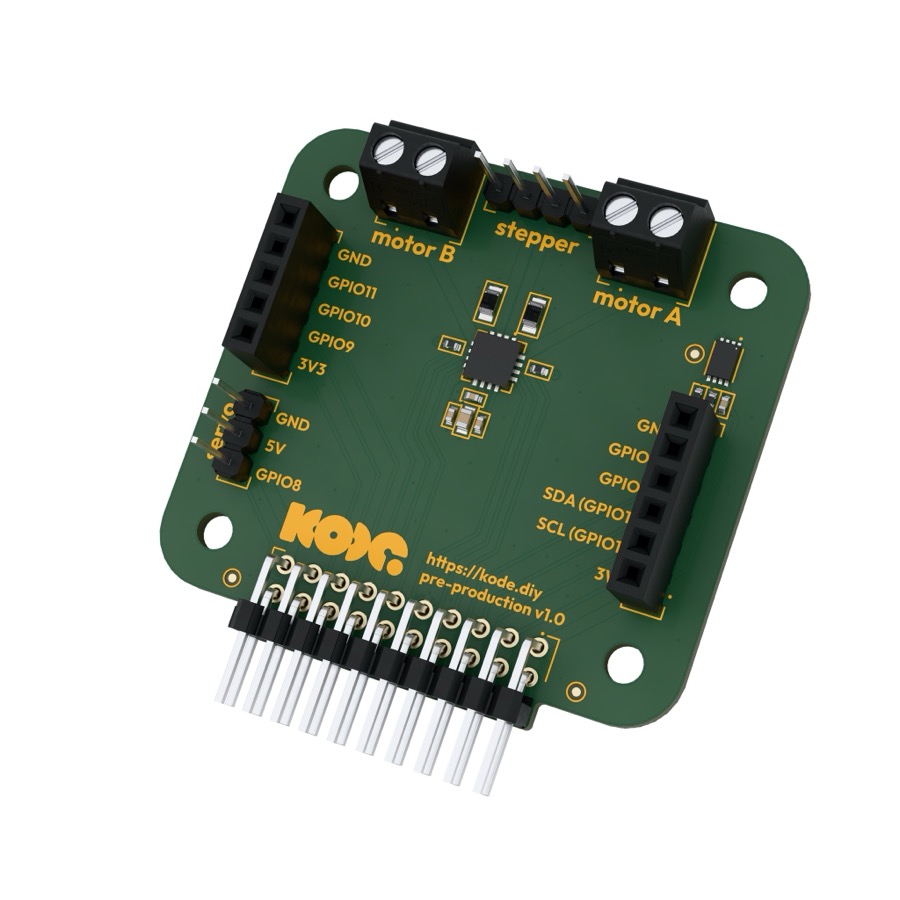
- Robotics Module — €15
- Maker Module — €15
- Camera Module — €25
- Mesh Module — €50
- F*CK Module — €50 (commercial name in store)
- Charging Base — €15 · Silicon Case + Screen Protector — €10 · microSD 32 GB — €15
Apps, codeOS and well-known tools
The website promotes an ecosystem of community apps — Snake, Invaders, Doom, ServoControl, BubbleLevel, AirMouse, CuteAssistant GPT, among others — that run on the device. Development can be done with environments that the brand explicitly cites: Arduino, Espressif and PlatformIO.
The documentation at docs.kode.diy describes kodeOS, an open source system where the code is saved as portable applications and shared with the community. The quickstart guides you to install ESP32 boards in the Arduino IDE and select “Kode Dot” as the target board.
Is it worth it as a gadget in 2026?
For MARGENEZ readers interested in technological gadgets and hacker hardware, Kode Dot occupies a different niche than a bare-bones board: you pay for integration (screen, battery, audio, RF and buttons) and for the app launcher. At €169 it competes with cheaper DIY kits, but saves months of assembly — the “Skip the setup” argument is the marketing axis.
The nuances: the exact battery capacity is still marked as "TBD" on the website; premium modules (Mesh, F*CK) double the cost of the base gadget; and it is worth noting that public documentation still mixes references to the ESP32-S3 prototypes with the dual P4 + C5 of the commercial version — consistent with the post-Kickstarter evolution described by the brand itself.
If you are looking for a programmable toy with an AMOLED screen and an RF laboratory in your pocket, Kode Dot is one of the most complete maker launches of the year. If you just need a cheap ESP32, there's probably plenty of hardware — but that's not the target audience for kode.diy.
Most read
What readers are engaging with right now.
- Culture
Goose, the gay app that competes with Grindr, reaches the top 4 of Lifestyle in the App Store

- World
Cubans protest in Miami against Airlines Connections for alleged scam: they demand up to $20,000 in packages to Punta Cana

- World
Trump declares the ceasefire with Iran over, orders new attacks in Hormuz and demands cutting trade with Spain in NATO

- Culture
Harry Potter on HBO: complete guide to the series (not yet released and already renewed for T2), dates, cast and controversies

- Culture
DUK App: Aly Sánchez launches her habits app "one day at a time" with a 63-day program

- Culture
I'm Edgy and Edgy Labs: From Nebraska's Walmart to a beef tallow cream brand that sells across the US.

- Culture
The Evening of the Year VI: all the winners, fights and performances of the Ibai night in Seville

- World
The FBI is investigating the AFA for alleged fraud and money laundering: about $300 million in sponsorships and operations in the US.

- World
El Cangrejo: profile of Raúl Guillermo Rodríguez Castro, Raúl Castro's grandson between GAESA, leaked luxuries and the first interview of 2026
