@azed_ai share «Gritty Charcoal»: a compact prompt for charcoal sketches with bold strokes, smudges, notebook texture and raw elegance — just change [subject].
AI Prompt · How to do it
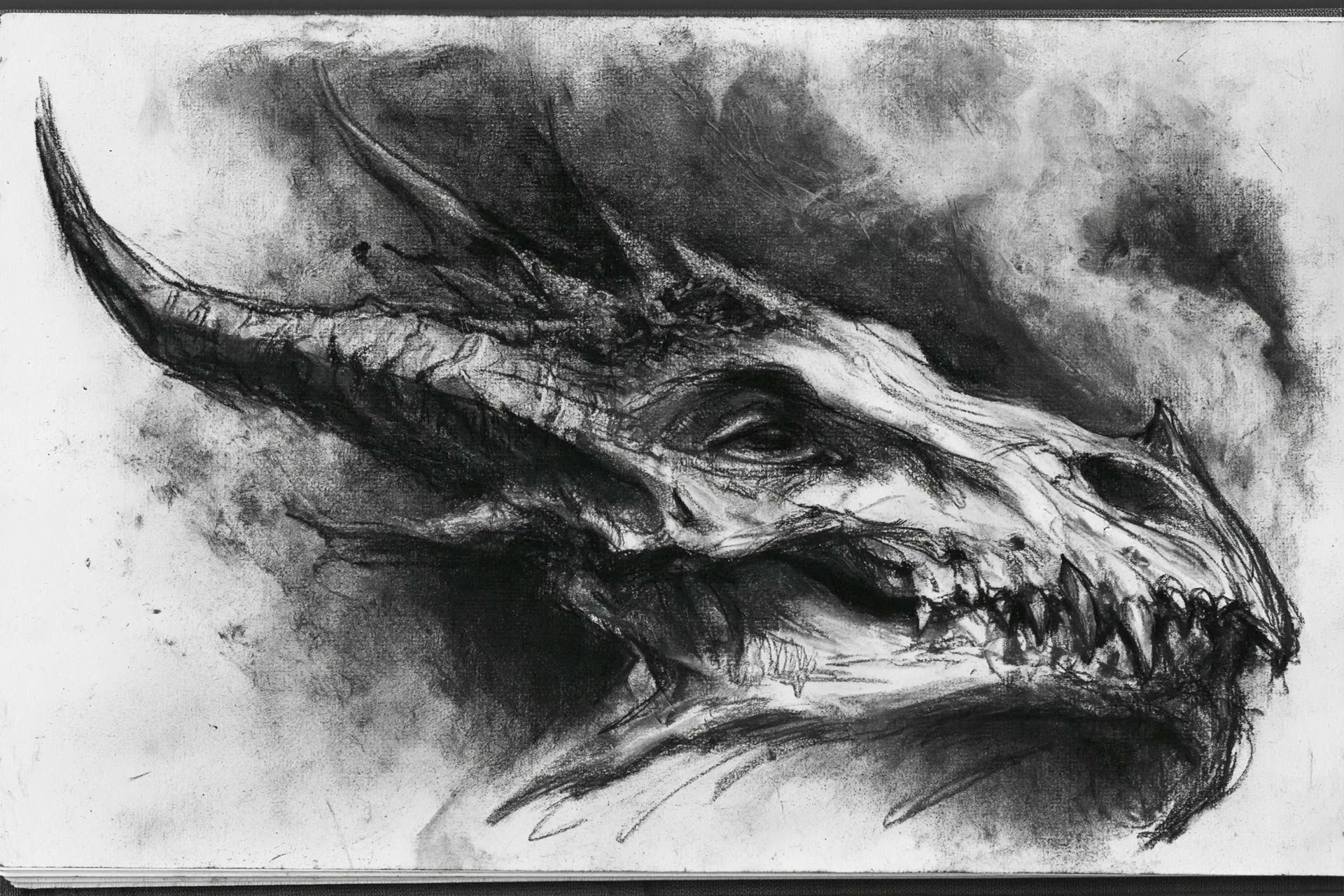
Result published by @azed_ai. @azed_ai
Steps
- Open ChatGPT with GPT Image 2.
- Define [subject] (portrait, animal, architecture...).
- Optional: upload reference to guide the composition.
- Paste the prompt and generate.
Prompt to copy
A charcoal sketch of a [subject], raw and textured with expressive shading, bold linework, and visible hand-drawn marks. The background is filled with smudged gradients, rough sketchbook textures, and soft charcoal dust, creating gritty unrefined elegance, dramatic contrast, emotional depth, and a fine art study aesthetic.
Replace [subject] with person, animal, object or landscape. Works well with optional reference photo.
Most read
What readers are engaging with right now.
- Culture
Goose, the gay app that competes with Grindr, reaches the top 4 of Lifestyle in the App Store

- World
Cubans protest in Miami against Airlines Connections for alleged scam: they demand up to $20,000 in packages to Punta Cana

- World
Trump declares the ceasefire with Iran over, orders new attacks in Hormuz and demands cutting trade with Spain in NATO

- Culture
Harry Potter on HBO: complete guide to the series (not yet released and already renewed for T2), dates, cast and controversies

- Culture
DUK App: Aly Sánchez launches her habits app "one day at a time" with a 63-day program

- Culture
I'm Edgy and Edgy Labs: From Nebraska's Walmart to a beef tallow cream brand that sells across the US.

- Culture
The Evening of the Year VI: all the winners, fights and performances of the Ibai night in Seville

- World
The FBI is investigating the AFA for alleged fraud and money laundering: about $300 million in sponsorships and operations in the US.

- World
El Cangrejo: profile of Raúl Guillermo Rodríguez Castro, Raúl Castro's grandson between GAESA, leaked luxuries and the first interview of 2026
