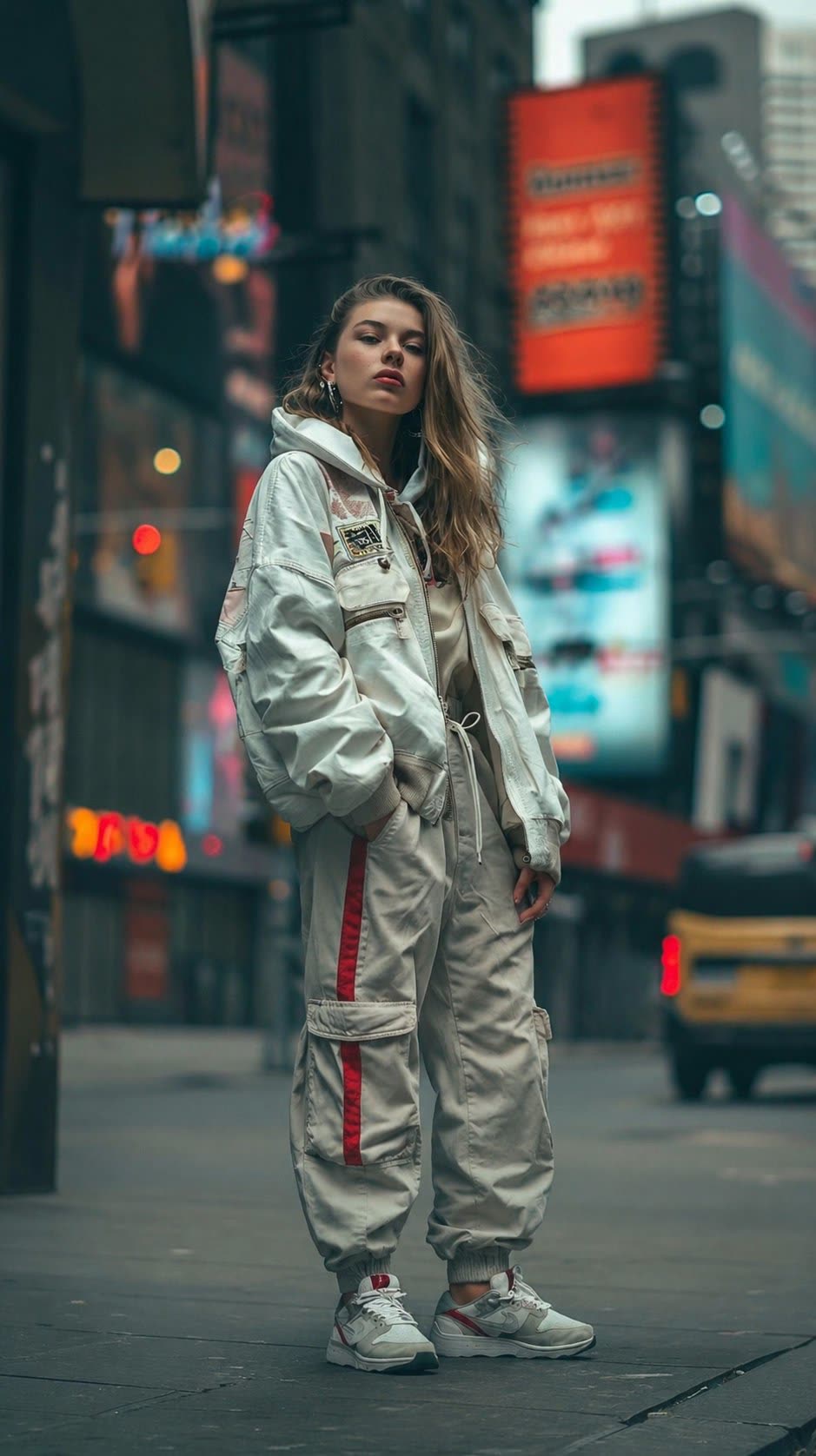
On June 19, Shore Lyn (@Shorelyn_) shared on
AI Prompt · How to do it
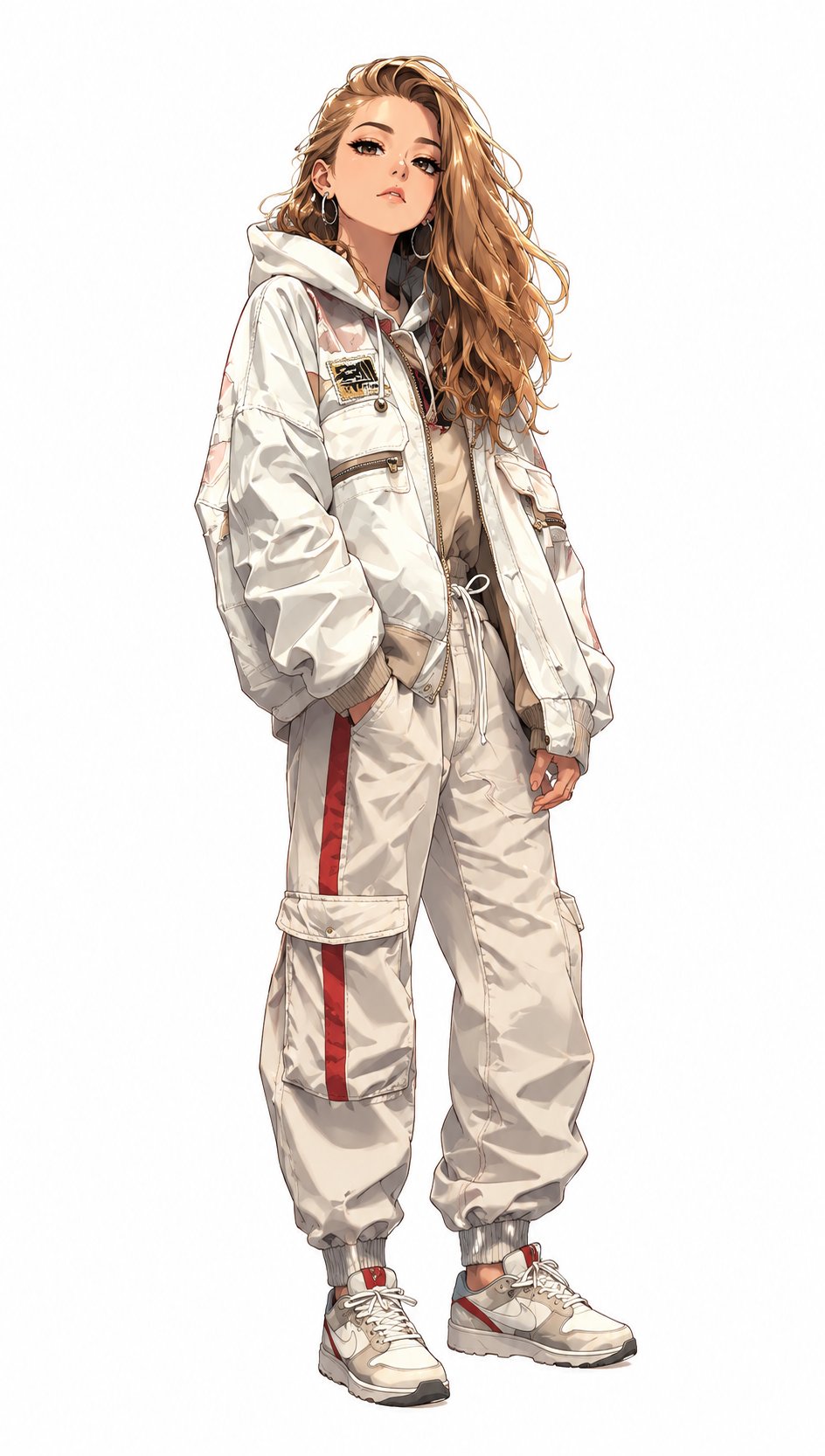
Second variant of the thread with a different reference photo. @Shorelyn_
Steps
- Open chatgpt.com with GPT Image 2.
- Upload a photo of yourself or a reference (ideal: portrait or full body visible).
- Paste the prompt below and generate.
- The thread includes two examples with different photos.
Prompt to copy
Create an anime-style character based on a photo. Keep the body proportions, facial expression, clothing, and hairstyle from the photo. Add characteristic features of anime characters: eyes, cute face, shine on the hair. The character should be fully visible in the frame in full height, on a white background.
Text in English according to the original publication. Short Prompt: Works well because it prioritizes preserving the reference photo over over-styling.
What makes this prompt special
Unlike long campaign or branding prompts, this template is minimal and direct. The three key restrictions are: (1) keep clothing and pose from the photo, (2) add only recognizable anime features without losing identity, and (3) full body + white background —useful for stickers, avatars or prints.
The post exceeded 4,600 views and accumulated 120 likes and 66 saves in a few hours, with the label “Made with AI.” It is one of the most shared prompts on June 19 in the photo-to-anime niche.
Optional improvements
If the result loses facial detail, add “preserve facial identity with maximum accuracy”. For a more shōnen style, change “cute face” to “sharp anime eyes.” For a different background, replace "white background" with a specific color or scene.
Before publishing
Do not upload photos from third parties without permission. Review OpenAI's policies for portraits and content generated from other people's images.
Most read
What readers are engaging with right now.
- Culture
Goose, the gay app that competes with Grindr, reaches the top 4 of Lifestyle in the App Store

- World
Cubans protest in Miami against Airlines Connections for alleged scam: they demand up to $20,000 in packages to Punta Cana

- World
Trump declares the ceasefire with Iran over, orders new attacks in Hormuz and demands cutting trade with Spain in NATO

- Culture
Harry Potter on HBO: complete guide to the series (not yet released and already renewed for T2), dates, cast and controversies

- Culture
DUK App: Aly Sánchez launches her habits app "one day at a time" with a 63-day program

- Culture
I'm Edgy and Edgy Labs: From Nebraska's Walmart to a beef tallow cream brand that sells across the US.

- Culture
The Evening of the Year VI: all the winners, fights and performances of the Ibai night in Seville

- World
The FBI is investigating the AFA for alleged fraud and money laundering: about $300 million in sponsorships and operations in the US.

- World
El Cangrejo: profile of Raúl Guillermo Rodríguez Castro, Raúl Castro's grandson between GAESA, leaked luxuries and the first interview of 2026
